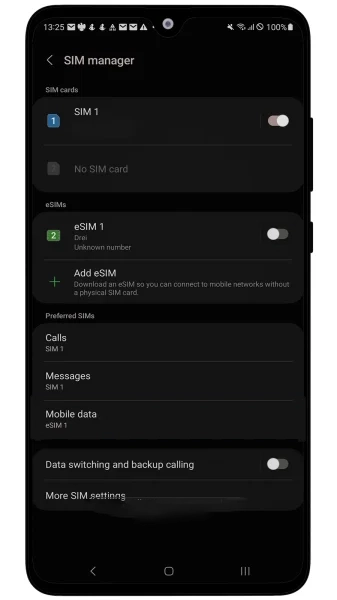

Manual eSIM Installation and Activation steps for Android
Welcome to SimAbove eSIM
Activating your eSIM is quick and easy, and we’re here to guide you every step of the way. With our straightforward installation process, you’ll be connected in no time. There’s no need to worry—if you face any challenges or have questions, the SimAbove support team is always ready to assist you.
Your seamless travel experience is our priority, so relax and enjoy the convenience of SimAbove eSIM!
Go To Settings > Connections
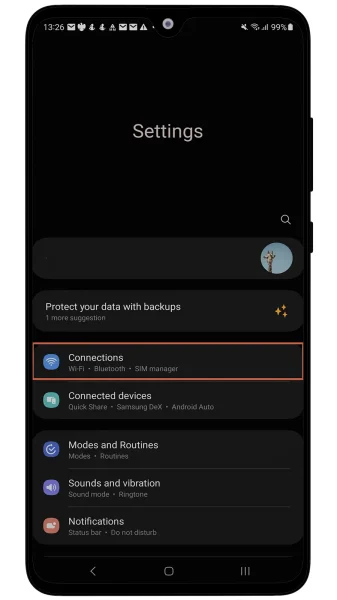
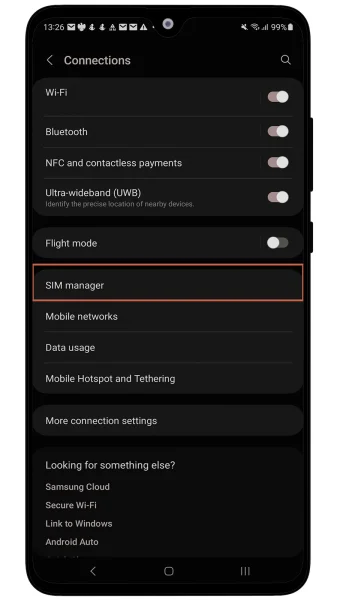
Press SIM Managaer
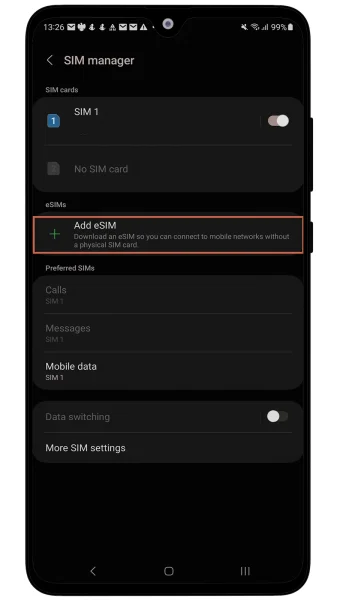
Press Add eSIM
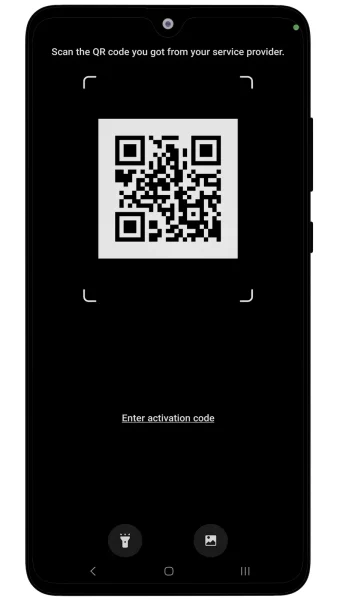
Press Scan QR Code
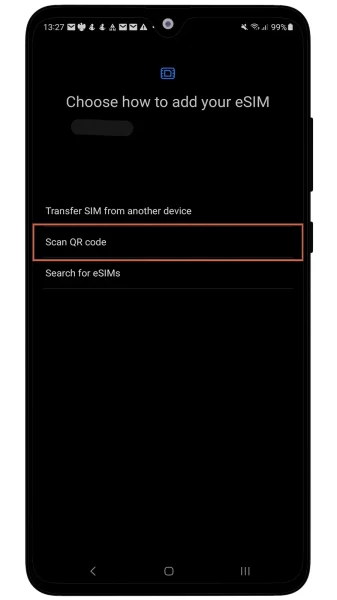
Scan QR Code form Email
You’re almost there—just two more steps, and you’ll be connected! 🎉
Congratulations on the progress you’ve made so far. You’re doing great!
At this rate, you’ll soon be a master of installing eSIMs. Who knows? Maybe next time, you’ll be helping your friends save money with SimAbove eSIM too! 😄 Let’s get you connected so you can enjoy the benefits of your eSIM in no time. 🚀
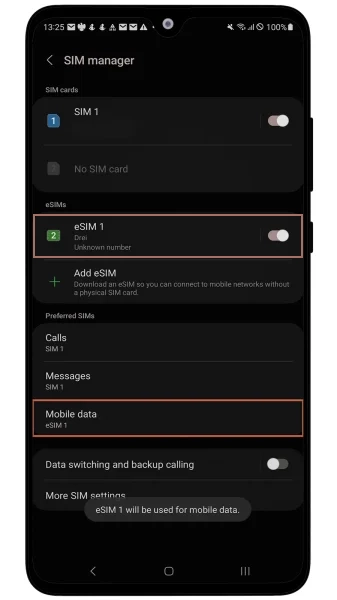
Go To Settings > Connections > SIM Manager and make sure SimAbove created eSIM is ON and Mobile data switched to the same eSIM
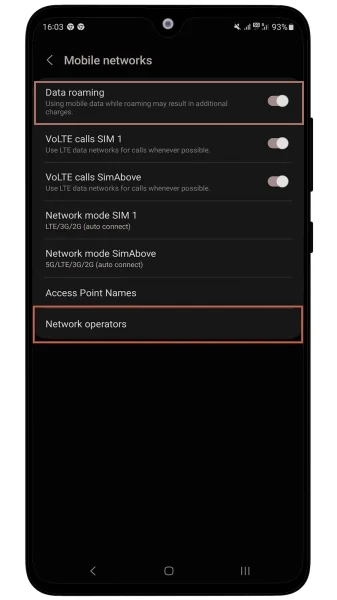
Go To Settings > Connections > Mobile Networks and ensure that Data Roaming is ON. Also make sure that Network Operators under SimAbove eSIM are set to connect to network Automatically.
FOR TURKEY DAY PLAN ONLY! Open Settings and search Access Point Names. Open and press Add or +. In name and APN sections write: isp and press back. And choose newly created APN.
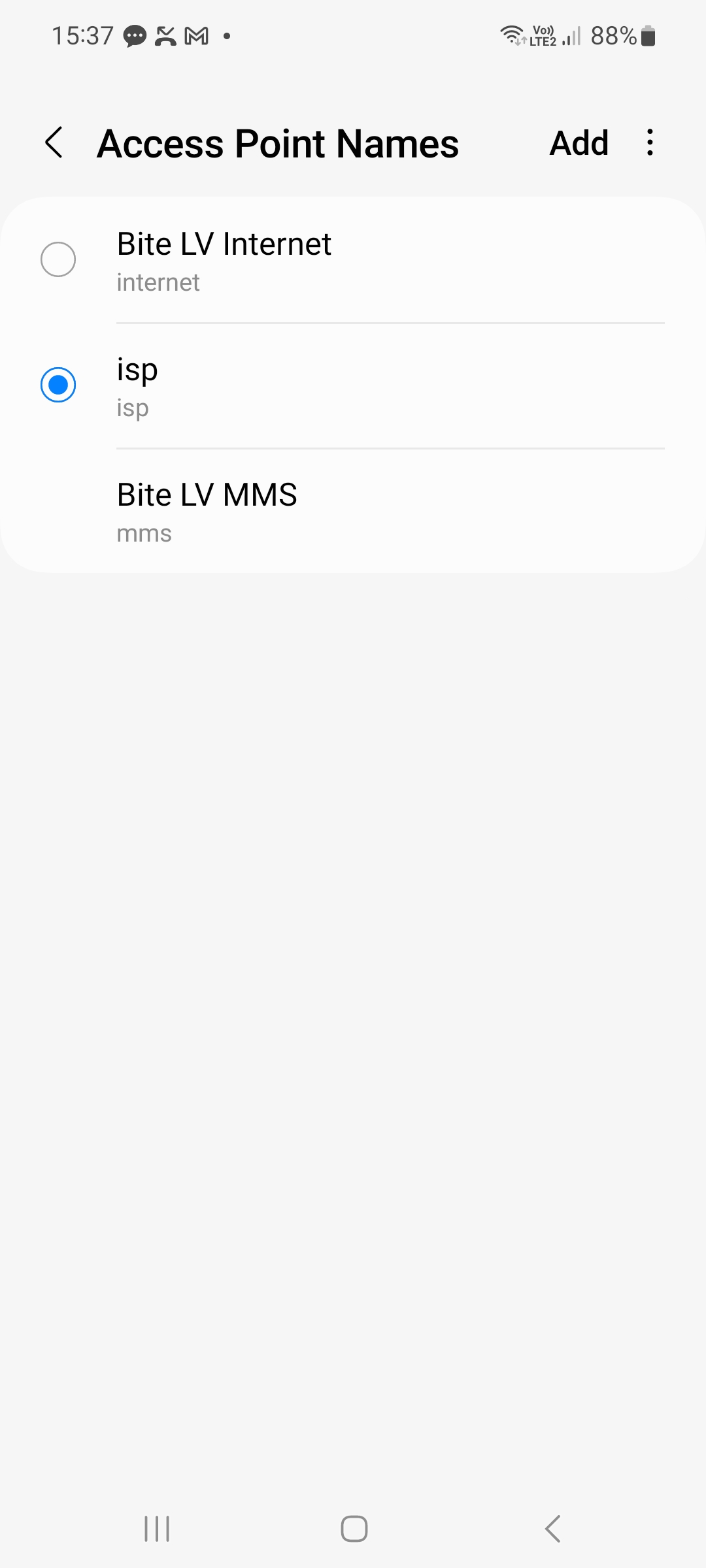
If all the steps were done correctly You should see 3G/4G/LTE/5G network sign next to network Bars Top Right Corner. Device connect to network could take up to 15 minutes.